
Free business tool / Canada
Free Google Review Link & QR Code Generator for Canadian Businesses
Find your Google Place ID, generate a direct review link, and print a QR code your customers can scan. Free to use, with no account required.
Create your review link
You need your Google Place ID, the code Google uses to identify your business. Google’s free Place ID Finder shows it to you in three quick steps.
-
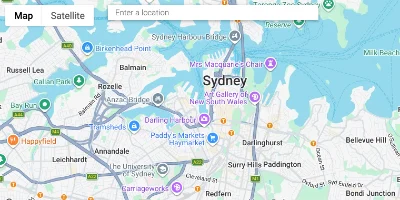
Open the Place ID Finder
It is Google’s own tool and opens in a new tab. You do not need an account.
Open the Place ID Finder (opens in a new tab) -
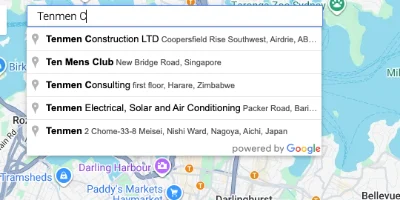
Search for your business
Type your business name and city into the search box on that page, then choose your business from the list.
-
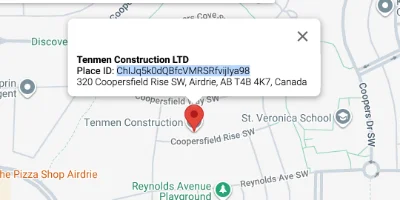
Copy the Place ID
Your Place ID appears with your business name. It usually starts with ChIJ. Copy it, come back here and paste it below.
Can’t find your Place ID? Search by business name
Search by business name and city and we will look your business up on Google and fill in the Place ID for you. Check the details match before you continue.
Is this your business?
Check the details match your Google Business Profile before you continue.
- Business
- Type
- Location
- Address
Your review kit
Your review link is ready.
Your direct review link
Customers who open this link land on a page to write a Google review for your business.
Before you print, test it
- Open the link in a new tab, ideally on your phone.
- Check it shows your business name and a place to write a review. If it shows another business, go back and check your Place ID.
This ID does not start the way most Place IDs do. That can be fine, but test the link carefully before you print anything.
Google also provides its own review link and QR code inside your Business Profile. If you prefer, you can use that link here instead of your Place ID.
Your QR code
Print it and place it where customers finish the job. They scan it with their phone camera.
The downloads save this exact receipt. Test the QR code with your phone camera before you print many copies.
Print it
Choose a layout, then press the button. Your browser’s print window lets you pick a printer or save the page as a PDF.
Test the QR code with your phone camera before you print many copies. Cards and posters use your business name from the box above.
More free tools in the kit
Know your numbers, and reply with care.
Neither tool needs your Place ID. Everything you type stays in your browser.
Star Rating Calculator
See how many more five-star reviews it would take to lift your Google rating to a target. It is an estimate, and it shows the best case.
Other targets from where you are
| Target rating | Five-star reviews needed |
|---|
Real reviews will vary, so this is the best case. Google shows a rounded rating, so you may see a change a little sooner. Never ask customers for a particular rating: ask everyone for honest feedback.
Review Response Generator
Three draft replies to a customer review: warm, professional and brief. They are written to be calm, helpful and safe for public view. Edit them before you post.
Your draft replies
Before you post
- Reply soon and keep it short. Do not argue, even if the review is unfair.
- Never include private details about the person, their order or their case.
- Move anything detailed to a phone call or email.
- Do not offer a discount or gift in exchange for changing or removing a review.
- If a review breaks Google’s rules (for example, it is not about a real experience), report it to Google instead of replying.
How it works
Four steps from Place ID to scan.
This is the order the kit follows. Every step runs in your browser, so nothing you type is sent anywhere.
-
Step 1
Find your Place ID
Use Google’s free Place ID Finder to look up your business and copy its Place ID.
-
Step 2
Paste it in
Paste the Place ID above and the tool builds your direct review link straight away.
-
Step 3
Test your link
Open the link and check it shows your business, so customers always land in the right place.
-
Step 4
Print and share
Download the QR code, print cards or a poster, or send the link by text, email or WhatsApp after the job is done.
Where to place QR codes
Put it where customers finish the job.
People are most likely to leave a review soon after a good experience, while it is fresh and the link is in front of them.
-
In person
Counter or checkout
A small sign or card beside the till reaches customers as the visit ends.
-
On paper
Invoices, receipts and quotes
Add the QR code to documents customers already keep, with a short line asking for honest feedback.
-
On the job
Leave-behind cards
For work done at a customer’s home or site, a card left behind lets them review when it suits them.
-
Online
Follow-up messages
Send the direct link by text or email after the job is done, with a polite, personal note.
Good practice
Ask every customer, honestly.
Reviews matter because customers trust them to be genuine. A few simple habits keep your requests fair.
Ask every customer, not only the ones you expect to be happy. Choosing who receives the link is called review gating, and it goes against Google’s guidelines.
Never ask for a particular star rating, and never offer a discount or a gift in return for a review. Let customers describe their experience in their own words.
Reply to reviews calmly and helpfully, whether they are positive or negative, and keep private details out of public replies.
FAQ · 10 questions
Questions about review links and QR codes.
Have another question? Call 403-383-4306 or send us a message.
Yes. The tool is free to use and does not need an account. Optional extras, such as emailing yourself a printable kit, will be explained clearly if they are added.
A Place ID is the code Google uses to identify a business. Google says Place IDs can change over time, for example if a business closes or moves, so test your link before you print and check it again from time to time.
A Place ID identifies your Business Profile, so it does not depend on showing a street address. If the finder cannot locate your business, try your business name with your city.
No. Ask every customer. Choosing who receives the link is called review gating and goes against Google’s guidelines. Honest feedback, good and bad, also shows you where to improve.
No. Rewarding reviews goes against Google’s guidelines, so the kit’s messages will never suggest it.
Yes. Choose receipt cards, counter cards or a poster, then press Print. Your browser’s print window lets you pick a printer or save a PDF. Test the code with your phone camera before you print many copies.
It is an estimate. It assumes every new review is five stars, which is the best case, so real reviews will take longer. Google also shows a rounded rating. Please do not ask customers for a particular rating: ask everyone for honest feedback.
No. The drafts are written from templates in your browser using the details you type, and nothing is sent to us or to anyone else. Always read and edit a reply before you post it, and keep private details out of public replies.
Yes. The tool is designed for phones, tablets and computers, and the QR codes it makes are meant to be scanned with a phone camera.
Your link and QR code are built in your own browser. Pasting a Place ID sends nothing to this website or to Google, and nothing is stored. If you use the optional name search, the business name and city you type are sent to our server and then to Google to find your business. They are not stored.
Related services
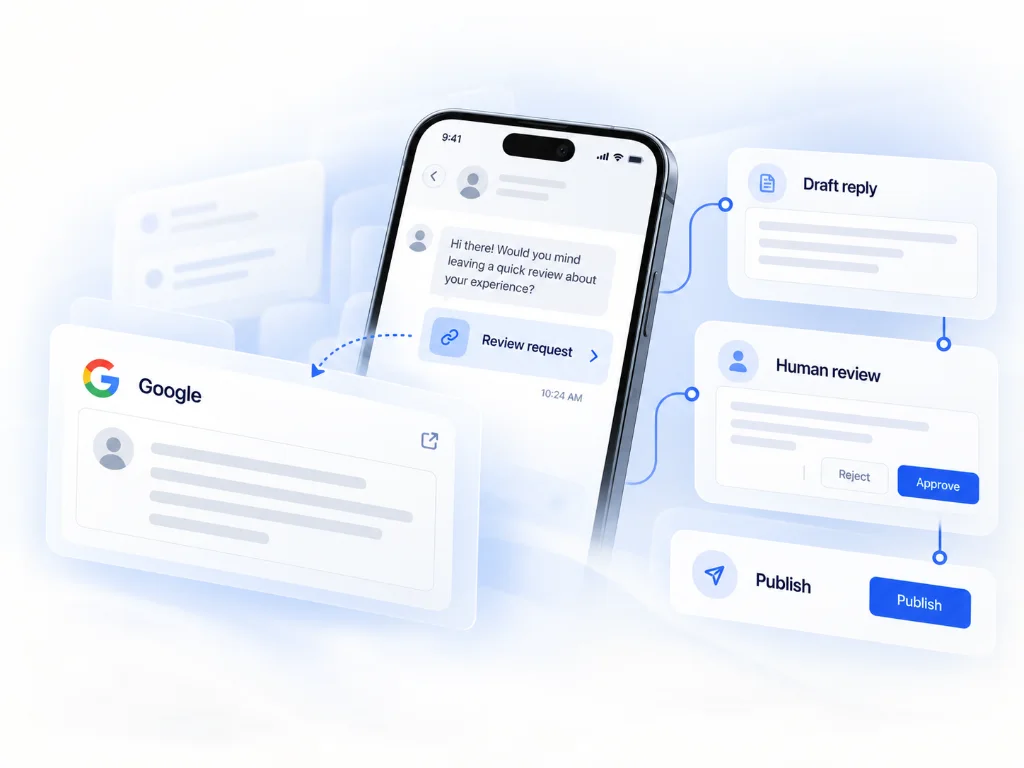
Want a team to handle your reviews?
Tools help you get started. If you would rather have specialists manage your Google Business Profile and reputation, these are the services that do it.
LOCUSOLVE
Need someone to manage your Google reviews and local visibility?
Locusolve helps local businesses manage their Google Business Profile, reputation and online presence.
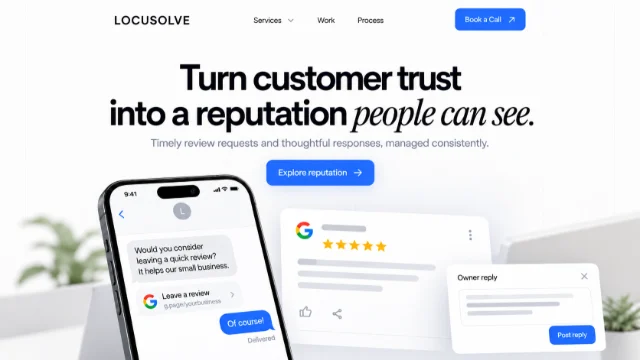
Local SEO & Google Business Profile Reviews & Reputation Management